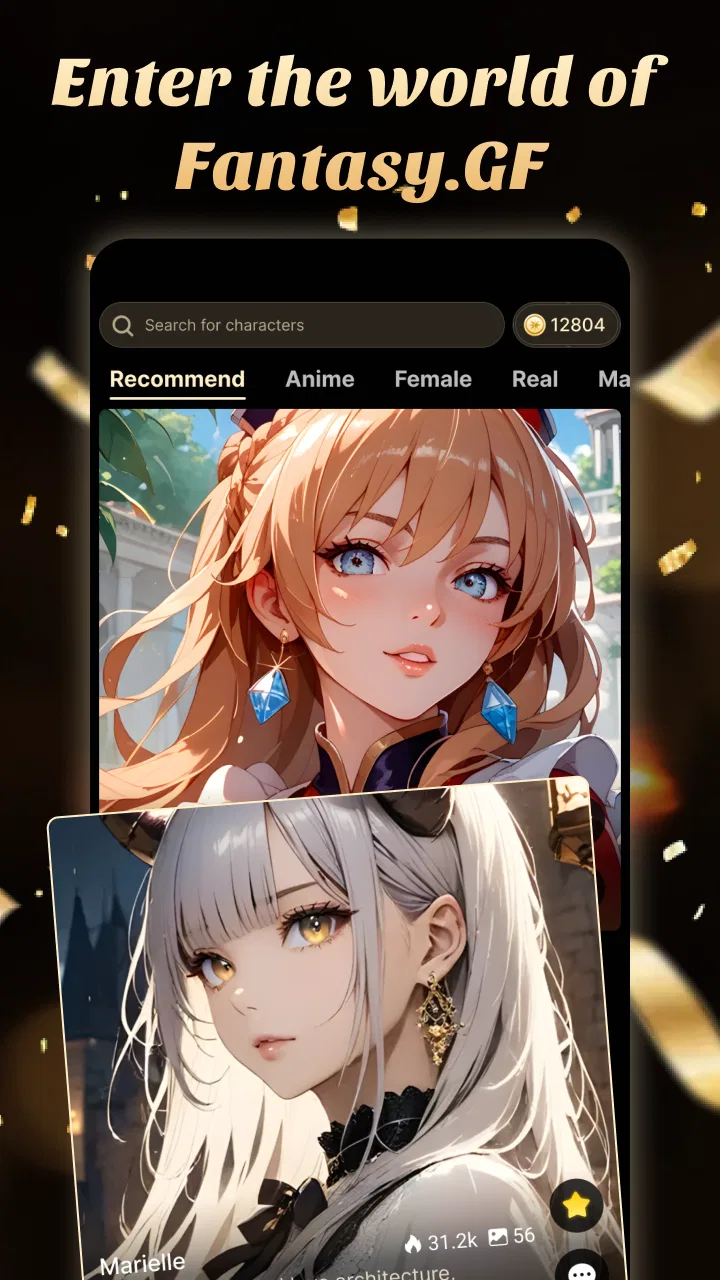
Fantasy AI: RP & Companions
- 4.6
- Rating
- 100.00K
- Installs
- Free
- Price

 Analysis by App-foxy
I approached Fantasy AI: RP & Companions as an entertainment app for people who enjoy imaginative conversation, character-driven storytelling, and AI-generated art. Its basic idea is easy to understand: you create or explore fantasy companions and use them as the starting point for interactive roleplay. What matters in practice is not simply having an AI chat window, but how much effort you are willing to put into shaping the world around that chat.
My first impression was that this is best treated as a creative playground rather than a conventional social app or a story game with a fixed ending. The experience depends heavily on the character concept, the tone you choose, and the prompts you give. If you arrive with even a small idea—a mysterious guide, a rival mage, a traveling companion, or an original setting—you can get more from it than if you only type short, disconnected questions.
The app is free to install, with optional purchases ranging from $3.49 to $59.99 per item. It is marked Mature 17+, which is an important part of deciding whether it belongs on your phone or a family device. LYRASOFT is the developer, and the app has built a visible audience in the entertainment category, with a 4.6 average from around 5.7 thousand ratings and over 100 thousand installs.
You May Also Like

 Blood Strike: 2.5 Anniversary
Blood Strike’s Loadouts Turn Every Drop Into a Tactical Gamble
A close look at Blood Strike’s custom loadouts: how fast access to signature weapons reshapes its battle royale rhythm, rewards preparation, and narrows the gap between fights.

 Pandora - Music & Podcasts
Pandora’s Music Is Easy to Start, but Harder to Recover
Pandora’s strength is its low-effort path from a seed to a station. Its weak spot is how much confidence it asks you to place in connection, setup, and quiet recovery.

 8 Ball Pool
 Is Built on Rivalries, Rematches, and Routine
A close look at the rivalries, rematches, shared routines, and unanswered safety questions that turn a quick pool match into a persistent mobile community.

 Samsung Music
’s Quiet Strength Is Playing What You Already Own
Its reach comes less from spectacle than from dependable access to a personal library. That simplicity is both the app’s strongest retention engine and its ceiling.

 AccuWeather: Weather Radar
AccuWeather Review: A Quick, Clear Forecast for Everyday Decisions
For everyday plans, the best forecast is the one you can understand quickly. AccuWeather makes rain timing, radar, and local conditions easy to act on, with a few trade-offs.

 Hill Climb Racing
Why Hill Climb Racing Still Turns Crashes Into One More Run
A tiny car, a bumpy hill and one more upgrade: Hill Climb Racing keeps resurfacing because its simple chaos makes every near-miss feel personal.
More From Our News Desk
View All News


What the first session is really like
Fantasy AI: RP & Companions does not feel like a traditional game where I follow a map, complete missions, and unlock a predetermined plot. It is closer to collaborative improvisation. The AI provides responses, atmosphere, and momentum, while I provide direction. That difference is important because it explains both the app’s appeal and its main weakness: the quality of a session depends on how clearly I communicate what I want.
The fantasy setting gives the conversations a useful frame. Instead of asking an assistant to discuss an ordinary subject, I can place the exchange inside an adventure, a relationship, or a fictional world. This makes the app more engaging for readers and roleplay fans who want to experiment with dialogue. It also means that a vague opening can produce a vague result. The app is not a substitute for having an idea; it is a tool for developing one.
I would not install it expecting a polished replacement for a large role-playing game. There is no reason to approach it as a graphics-heavy adventure, a competitive title, or a social network where real people are waiting to respond. Its strength is the private, flexible nature of an AI conversation. I can test a character voice, explore a dramatic scene, or sketch a fantasy premise without preparing a complete novel or learning a complicated ruleset.
The art side adds another creative route. I see it as most useful when I already know what mood or character I want to visualize. A short, generic request may be enough for a quick experiment, but a stronger result usually comes from describing the subject, setting, clothing, lighting, and emotional tone together. That small change in approach turns the art feature from a novelty into a way of giving the roleplay a clearer identity.
Who will get the most from it
This app suits people who enjoy fantasy fiction, character writing, interactive dialogue, and visual experimentation. It can also work for someone who wants a low-pressure way to practice writing scenes. I found that it is especially appealing when I want to explore an idea privately before sharing it with anyone else.
It is less suitable for someone who wants a fixed storyline, reliable factual answers, or a conventional chat service. If your main goal is to talk with real friends, a messaging app is the better choice. If you want carefully authored lore and consistent game mechanics, a story-driven role-playing game will probably feel more satisfying. The AI format offers freedom, but that freedom comes with inconsistency and the need to steer the conversation.
Setting up a useful character instead of a blank conversation
For a first-time user, I recommend beginning with one clear roleplay goal. Do not try to design an entire universe immediately. Start with a character, a location, and a problem. For example, you might create a cautious cartographer who has entered a city that disappears at dawn. That gives the conversation a personality, a setting, and a reason for the next reply to exist.
The most useful opening message is not necessarily the longest one. I get better control by stating the role I want the companion to play, the tone I prefer, and what should happen next. A simple instruction such as “keep the mood mysterious, speak in short replies, and begin with the arrival at the ruined gate” is more practical than a large block of background that never explains how the scene should move forward.
Another helpful habit is separating facts from preferences. I might describe the character’s history in one sentence, then explain that I want tension rather than comedy. This gives the AI two different kinds of guidance: what is true in the fictional world and how the exchange should feel. When those details are mixed together, it becomes easier for the conversation to drift.
I also suggest deciding how much control you want before you begin. Some users prefer to let the companion surprise them, while others want to direct every event. I enjoy a middle ground: I define the important boundaries, then allow the AI to fill in minor details. That keeps the session creative without letting the central premise wander too far.
The first meaningful success
My definition of a successful first session is not generating the most elaborate character. It is reaching a scene that makes me want to continue. The easiest route is to give the companion an immediate choice or problem. A character who is merely introduced has little reason to respond memorably; a character who must decide whether to trust the player has a natural source of dialogue.
Once the first reply arrives, I would avoid jumping randomly between topics. Ask for a reaction, make a decision, or add one relevant detail. If the companion is a reluctant guide, I might ask what it refuses to reveal about the road ahead. If the answer becomes too general, I can narrow the request: “Name one danger, explain why you know about it, and keep the warning in character.” This kind of follow-up is one of the most practical skills in the app.
Short corrections are also more effective than restarting immediately. If the tone becomes too cheerful, I can say that the scene should remain tense. If the character forgets an important fact, I can restate it in a single sentence and continue. I found that treating the exchange like a collaborative writing session produces better momentum than expecting the AI to remember and manage every detail perfectly.
The art feature can support this first success when used after the character has taken shape. Rather than asking for a random fantasy image at the beginning, I prefer to establish the companion’s identity through conversation and then create an image based on the details that emerged. This creates a stronger connection between the chat and the artwork, and it gives me a clearer prompt to work with.
Everyday uses beyond fantasy escapism
A realistic use case is an evening when I have twenty minutes and want something more active than scrolling through short videos, but less demanding than starting a full game. I can open a companion, continue a small scene, and stop after a single decision point. The session does not need to become a long campaign to feel worthwhile.
Another use is idea development. If I am outlining a fantasy story, I can use a companion to test how a character might react to betrayal, an unfamiliar city, or a difficult moral choice. I would not treat the result as finished writing, but it can expose weak motivations and suggest dialogue I might not have considered. The same process can help someone who enjoys tabletop roleplay and wants to explore a character before playing them with a group.
The app can also be useful for visual brainstorming. A writer, artist, or hobbyist may have a rough concept but no clear image of it yet. Describing the setting through the chat first can reveal missing details: what the character carries, what the environment feels like, or what visual contrast defines the scene. In that sense, the conversation can act as a preparation step for the art rather than a separate feature.
There is a trade-off here. AI-generated ideas can be fast and surprising, but they are not automatically original, coherent, or emotionally deep. I still need to edit, question, and select what is useful. Users looking for a finished story with a carefully controlled authorial voice may become frustrated if they expect the app to do all of the creative work.
Where new users may become confused
The biggest source of confusion is the difference between a companion and a fully scripted character. A companion may respond convincingly in one exchange and then interpret the situation differently in another. I learned to treat continuity as something I actively maintain. Keeping a compact record of the character’s name, goal, relationship, and important rules makes it easier to correct drift when it appears.
It is also easy to mistake a visually appealing character concept for a complete roleplay premise. A striking image can start the process, but it does not automatically create conflict or direction. If the conversation stalls, I would add a concrete event rather than asking a broad question. “What do you think?” often produces less energy than “The sealed door opens behind us; do you run, hide, or confront what is inside?”
Another point worth understanding is that the app’s mature age rating should be taken seriously. This is not a casual children’s entertainment app, and I would not hand it to a younger user simply because the interface looks approachable. Adults should also decide in advance what kind of roleplay they are comfortable exploring and avoid treating an AI companion as a replacement for real-world relationships.
Optional purchases are another practical consideration. Since the app is free but includes items priced from $3.49 to $59.99, I would begin with the free experience and learn the basic workflow before spending anything. The best purchase decision depends on whether the app becomes a regular creative hobby for you. Paying without first knowing how often you will use it is an easy way to turn a casual experiment into an unnecessary expense.
How it compares with familiar alternatives
Compared with ordinary chatbots, Fantasy AI: RP & Companions has a clearer entertainment identity. The fantasy framing encourages character and scene-based interaction instead of making every conversation feel like a general question-and-answer session. If I want practical information, a conventional assistant is more appropriate. If I want to improvise with a fictional companion, this app gives me a more natural starting point.
Compared with interactive fiction, it offers more freedom but less authorial control. A traditional branching story usually provides tested choices and a known structure. Here, I can attempt an unexpected action or reshape the premise mid-session, but the result may be uneven. That makes it better for experimentation than for users who want every plot turn to feel deliberately written.
Compared with image-generation tools, its advantage is the connection between visual creation and character interaction. I can develop an idea in dialogue and then use that understanding to guide the artwork. A dedicated art tool may offer a more specialized workflow for someone focused only on images, but this app is more appealing when the picture is part of a larger fictional experience.
Compared with real roleplay communities, it is immediate and private. I do not need to coordinate schedules or worry about disappointing another player when I change direction. The downside is that the AI does not provide the genuine unpredictability, shared humor, and emotional investment of another person. That is not a flaw to hide; it is the central boundary of the experience.
Tips for keeping a session coherent
I recommend using a small “scene anchor” at the beginning of important exchanges. Include the current location, the companion’s immediate goal, and the unresolved problem. This takes only a few lines but gives the AI a better chance of continuing the intended scene. It is especially useful after a break or whenever the conversation has accumulated many events.
Give characters limits as well as abilities. A companion who can solve every problem instantly has little dramatic value. Saying that the guide knows the forest but cannot cross running water creates a reason for cooperation and conflict. These constraints are more useful than adding endless descriptive lore because they shape what can happen next.
For art prompts, describe relationships between elements instead of listing attractive words. Explain where the character stands, what they are looking at, and how the environment affects the mood. “A lone traveler facing a flooded observatory at blue hour” gives the image a story-like composition, while a string of unrelated fantasy adjectives may produce a less focused result.
Finally, save or note the details that matter to you outside the flow of the chat. I would keep the character’s defining traits and the current objective in a separate note if I planned to return to the same world. That simple workflow reduces frustration and makes the app feel more like an ongoing creative project than a series of disposable conversations.
What to know before installing
The app is available as a free entertainment download, and its current version is 2.5.3. It runs on Android 7.0 or later, so it remains accessible on a wide range of Android devices. The release date was August 28, 2025, placing it among newer options for users interested in AI-based fantasy roleplay and art.
I would install it if I wanted a guided starting point for fictional conversations, original companion concepts, and connected visual ideas. I would skip it if I disliked writing prompts, expected perfect continuity, or wanted a conventional game with clear objectives and measurable progress. The app rewards participation; it does not remove the need to make creative choices.
After using it, my strongest recommendation is to begin small. Create one companion, give that character one immediate problem, and aim for one memorable scene rather than an entire world. Once the exchange starts producing responses that feel specific to your idea, expand the setting gradually and use the art side to capture the details that matter.
Fantasy AI: RP & Companions works best when I treat it as a flexible writing partner with a fantasy personality, not as an all-knowing friend or a complete role-playing game. Its free entry point makes experimentation easy, while the mature audience and optional purchases mean it deserves a thoughtful approach. For the right user, the combination of companion chat and art can turn a vague fantasy idea into something I can actually explore, revise, and see.
FAQs for Fantasy AI: RP & Companions
01What is Fantasy AI: RP & Companions, and what can I do with it?
Fantasy AI: RP & Companions is an AI-powered role-playing and chat app focused on interactive conversations with virtual characters. You can explore fictional personalities, create ongoing scenarios, participate in role-play, and shape conversations through your messages. The experience is designed for entertainment and storytelling rather than factual assistance, so responses may be imaginative, inconsistent, or influenced by the character and scenario you choose.
02Does Fantasy AI: RP & Companions require an account or an internet connection?
The app generally requires internet access because conversations are processed through online AI services rather than entirely on your device. Depending on the current version, some features may also require signing in or creating an account to save chats, synchronize content, or access personalized options. Offline use is usually limited or unavailable, so a stable connection is recommended for smoother replies and fewer interruptions.
03Is Fantasy AI: RP & Companions free to download and use?
Fantasy AI: RP & Companions may be free to install, but access to characters, messages, advanced tools, or extended conversations can depend on in-app purchases, subscriptions, credits, or usage limits. Before starting a long role-play, check the store listing and the app’s payment screen carefully. Pricing and included features can change, and subscriptions should be reviewed to understand renewal terms.
04Is the content in Fantasy AI: RP & Companions suitable for children?
Parents should review the app’s age rating and privacy information before allowing children to use it. AI companion and role-playing platforms can include mature themes, romantic interactions, suggestive conversations, or user-created scenarios that are not appropriate for every age group. Content filters may reduce unwanted material, but they cannot guarantee that every response will be suitable, so supervision and device-level parental controls are advisable.
05How private are my conversations in Fantasy AI: RP & Companions?
Before using the app for personal or sensitive conversations, read its privacy policy to learn how messages, account details, device information, and usage data may be collected and processed. AI services commonly need conversation data to generate replies and improve functionality. Avoid sharing passwords, financial information, precise personal details, or anything you would not want stored or reviewed under the provider’s policies.
Pros
- Large variety of fantasy characters and roleplay scenarios
- Conversation style can be customized to match different moods
- Useful for creative writing ideas and immersive storytelling
- Easy-to-use interface makes starting a chat quick
- Characters can provide entertaining company during free time
Cons
- Some advanced features may require a paid subscription
- AI responses can occasionally feel repetitive or inconsistent
- Conversation quality depends heavily on the prompt you provide
- Fantasy themes may not appeal to users seeking realistic chats
- Privacy policies should be checked before sharing personal details

Fantasy AI: RP & Companions
Gallery